Nourish for Android
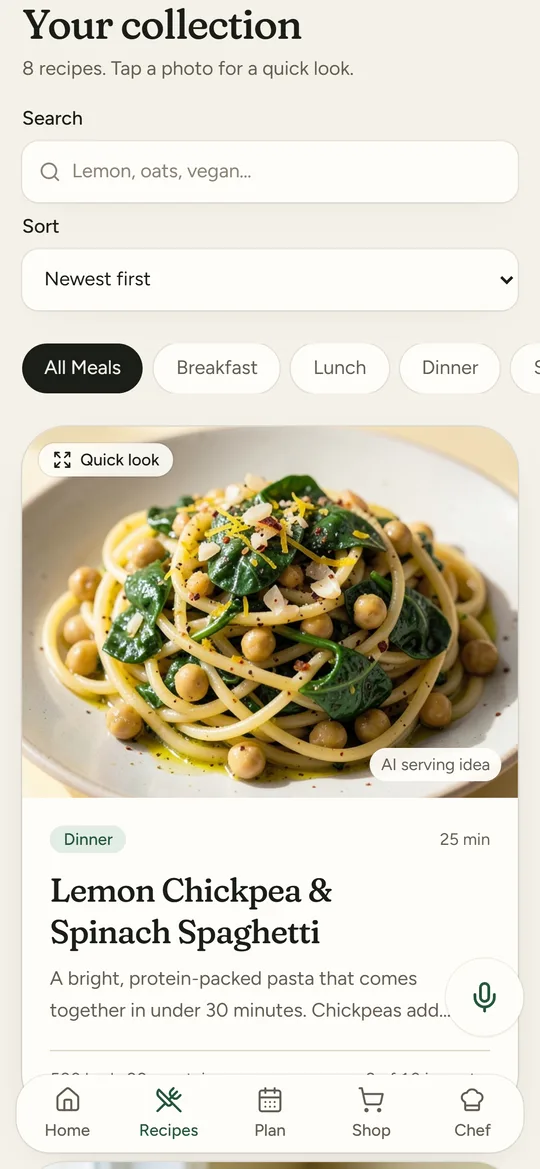
Your recipes, your week and one grocery list, in an app you can talk to. Say “Hey Nourish” for the next item on your list or the next recipe step, and point the camera at a barcode to hear what it is.
Download for Android
Version 1.0.0, 3.6 MB
For Android 7.0 or newer
Coming to Google Play soon. Prefer the browser? Use Nourish on the web.
Install it in a minute
Download the app
Tap Download for Android. If Chrome says this type of file can be harmful, tap Download anyway.
Install it
Open the file from your notifications or Downloads. If Android asks, allow your browser to install apps, then tap Install.
Open your kitchen
Open Nourish and sign in, or create a free kitchen with just an email.
Good to know
- Always current
- The app opens the newest Nourish every time. If the app itself needs an update, it shows you the new download.
- Payments
- Plus and request packs use Square’s secure checkout, the same as the website. Nothing renews.
- Microphone and camera
- Used only when you turn on “Hey Nourish” or open camera help. You can say no and still use everything else.
- On iPhone
- Open nourish.musehq.io in Safari, tap Share, then Add to Home Screen.
Check the download
Package io.musehq.nourish, version 1.0.0 (1). SHA-256:
5c7cb2e87fcfdd1713f0da02f6400d6d7ad29e125a706f066ea9a149cbde9e4d